New: WHSv1 iTunes Installer - free tool to help install iTunes on WHS v1 without Orca!

6. January 2012 08:40 by bizmodeller in iHomeServer, iHomeServer 2, iTunes  //  Tags: , , ,   //   Comments (13)

We've had a lot of emails from users of Windows Home Server v1 who have tried to install iTunes on their servers only to be met with an error saying that the Apple Mobile Support requires Windows XP Service Pack 2 or higher.

There are many posts on many forums which give detailed instructions on how to get around this by using Orca to edit the Apple MSIs and remove the installation launch conditions.

We have put together a small free tool that automates this into a single click.  Once you have downloaded the  "WHS iTunes Installer", you will be asked to point the tool to the iTunes Setup file you downloaded from the Apple Web Site (iTunesSetup.exe).  The tool will then start the installation and remove the Service Pack 2 condition on-the-fly when required.  There is also support for upgrades, if you use the Apple Software Updater to download iTunes instead.

Download by clicking the link below ...  and please post feedback to this blog!


Download WHSv1 iTunes Installer (32-bit) - 25.6kb


Steps:

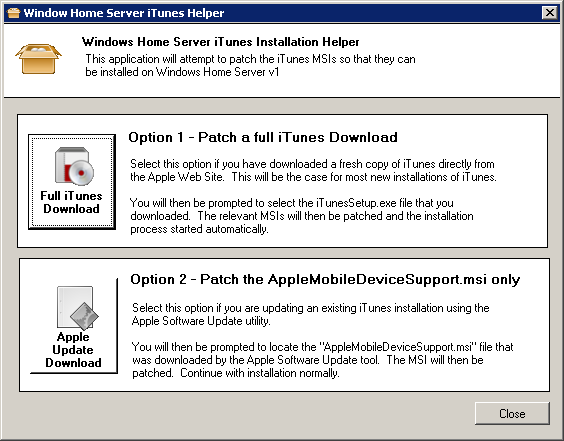
1. Welcome Page

Select "Option 1" if you are downloading directly from the Apple website for a new installation.  Select "Option 2" if you already have the separate iTunes MSIs in a folder somewhere and you just need to patch the AppleMobileSupport.msi
 

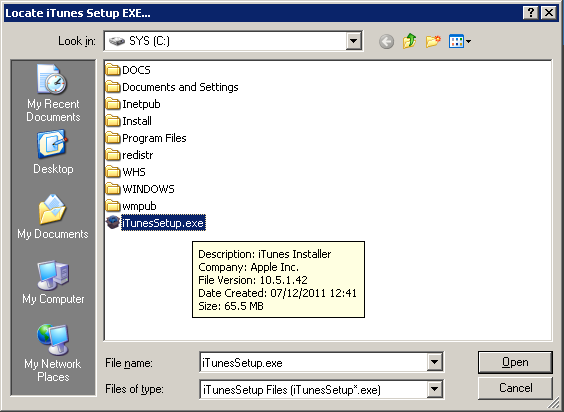
2. Select iTunesSetup.EXE

Assuming you chose Option 1, you will then be prompted to select the iTunesSetup.exe file that you downloaded from the Apple web site:
 

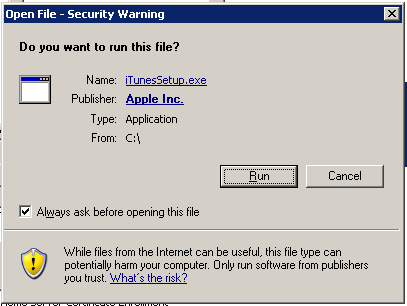
3. Installation ....

The tool will now launch the Apple installation program so click 'Run' to start the process:
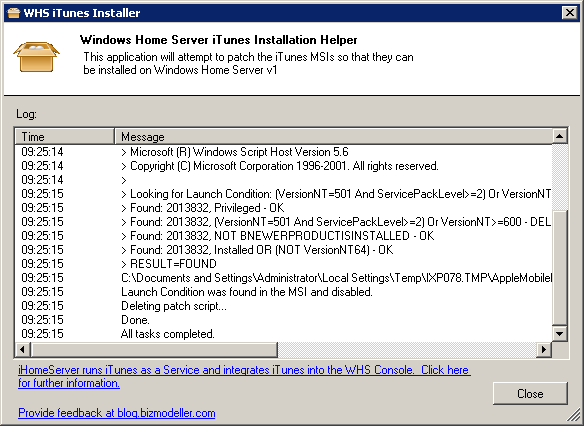
4. Patching ....

The tool will monitor the installation in the background for when the iTunes setup program has extracted the MSIs.  When the MSIs are available, the tool will automatically patch the AppleMobileDeviceSupport.msi in the background:
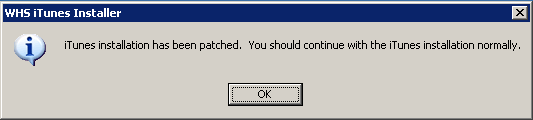
5. Patching Complete!

The tool will notify when patching is complete:
 

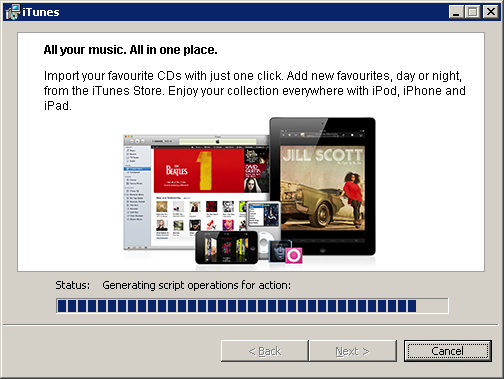
6. Continue iTunes installation....

The iTunes installation should now be continued normally:
 

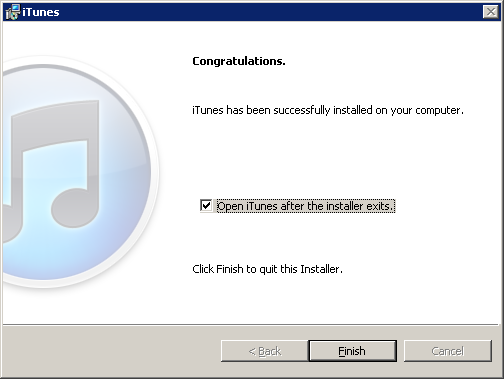
7. iTunes successfully installed!

If all went well, iTunes will now be successfully installed on your Windows Home Server v1 server:


Please let us know how you get on with the tool by posting comments below!

Comments (13) -

Brian Turner
Brian Turner
1/8/2012 2:43:44 PM #

Just tried this, and worked first time ... thanks a lot

Morris Paterson
Morris Paterson
1/20/2012 9:49:43 AM #

That's exactly what I needed... Thank you!

katie1957
katie1957
1/22/2012 7:49:23 AM #

Thanks for your generosity in providing the i-tune patch.  I ran it and everything was going along fine until I yet again got the message that I need to be running SP2 or above to install i-tunes.  Well, I AM running SP2, and even with your patch it is still not working.  I'm sure it's nothing to do with your product, it's Microsoft and Apple

Here's what I think of Microsoft:  It's a load of crap

Here's what I think of Apple: It's a load of crap.  I have had nothing but trouble with my I-phone 3 AND my i-phone 4

Surely we as consumers deserve better than the slop they serve up.  

Please if you have any other suggestions about how I might get i-tunes to work I would be very grateful.  I have been trying to get it to work on and off for a year now, and have paid my computer tech to do the same on three occasion, but NOTHING works.

katie1957
katie1957
1/22/2012 7:24:44 PM #

Update - I downloaded the patch again and this time it worked...what a relief, the end of 11 months of trying to get it to work. A thousand thankyous Bizmodeller!

NT
NT
2/14/2012 4:23:11 PM #

Looks like it worked on my Win2003 workstation. I'll know for sure after I restart.

Thanks!

Dlang
Dlang
4/1/2012 10:11:52 PM #

Doesn't work for me on WHS v1.. it always errors out before it can find the msi while Itunes is still unzipping everything....

bizmodeller
bizmodeller
4/2/2012 3:08:47 PM #

Can you send a screen shot of the error to support@bizmodeller.com pls?  Thanks...

Orlando
Orlando
4/29/2012 5:22:01 PM #

Having the same issue, says "Error: Could not find iTunes MSIs in the allocated Time Period.:

bizmodeller
bizmodeller
5/4/2012 4:36:32 PM #

Appears Apple has slightly changed the way they package their MSIs into the iTunesSetup.exe.  We have updated the tool so it waits longer for the iTunes setup program to decompress the MSIs.  The updated tool can be downloaded from the same location - www.bizmodeller.com/...iTunes_DownloadHandler.aspx

You should now no longer get the "Error: Could not find iTunes MSIs in the allocated Time Period" message if you try again.

Any problems, please let us know.

acer
acer
5/10/2012 6:03:05 PM #

thanks for info.. that's good article.

Frosty
Frosty
5/13/2012 9:21:14 AM #

Tip for WHS (v1) if your iTunesSetup.exe won't run and gives the message: “Windows cannot access the specified device, path, or file. You may not have the appropriate permissions to access the item”.

You need to right-click on the exe file, select "Properties" and then "Unblock" at the bottom of the dialog Smile

After doing it it went fine for me!!!

bizmodeller
bizmodeller
5/13/2012 12:10:08 PM #

Great tip Kevin - thanks for the comment....

Sentimanchos
Sentimanchos
10/22/2012 1:30:52 PM #


This actually answered my problem, thank you!

Add comment

  Country flag

biuquote
  • Comment
  • Preview
Loading

Recent Comments

Comment RSS